I have a minor problem and I hope somebody could hint me how to solve it.
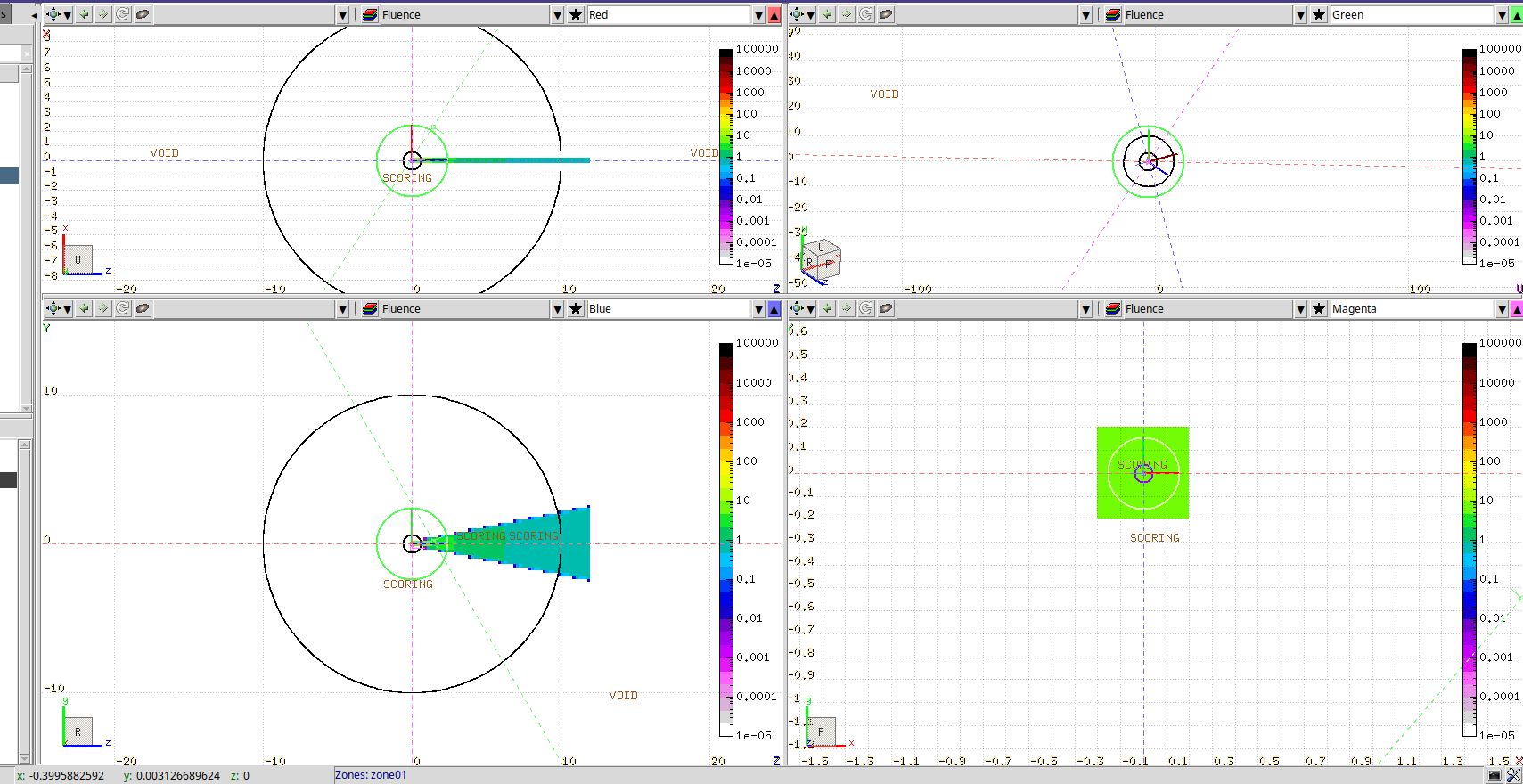
Following an exercise from a FLUKA training, I build a source using a user source routine, compile it, ran and would like to see the beam in Geometry tab. The beam direction is along z axis and USRBIN range for z coordinate was chosen between -12 and 12 cm. However, on a layout I see z=0 for xy-projection (left bottom corner on the attached screenshot). How to change it to another value, e.g. 12 cm?
the dashed lines in the geometry windows represent the viewport planes. You can move them via drag & drop with you mouse. So if you want to move the z of the xy-viewport go to the yz- or xz-window and move the dashed line at z=0.
(Be careful, if you click too far off centre, you will rotate them instead of moving)
edit: you can find more info on navigation in FLAIR here.