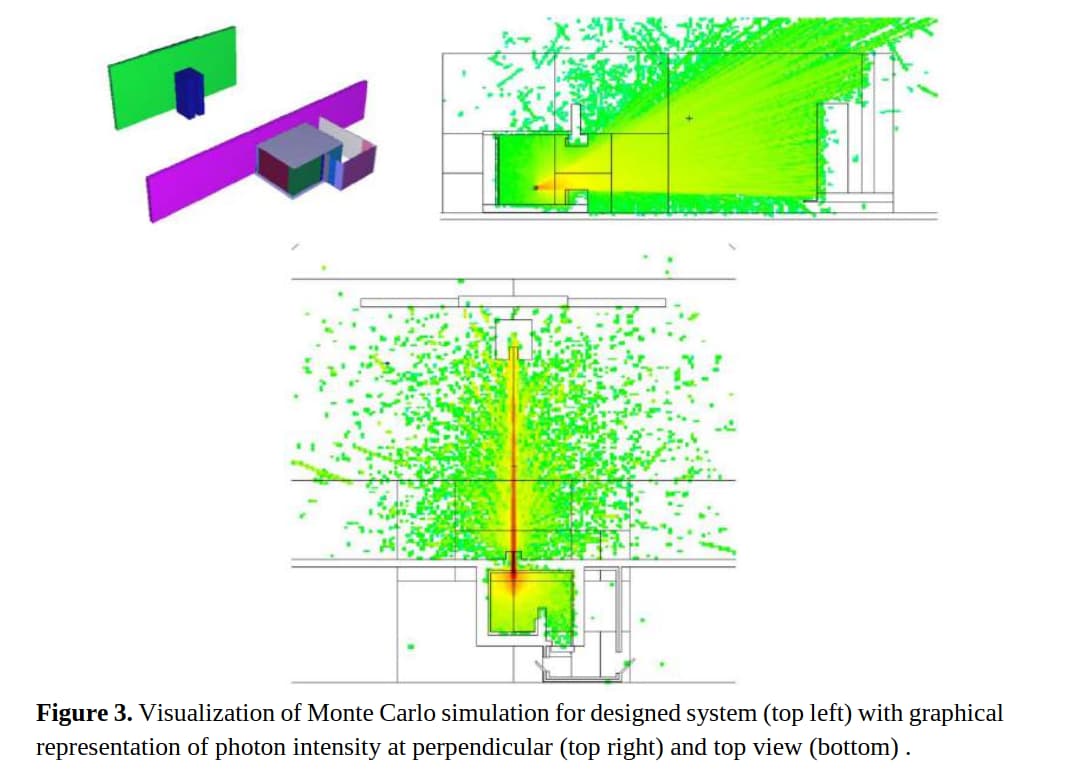
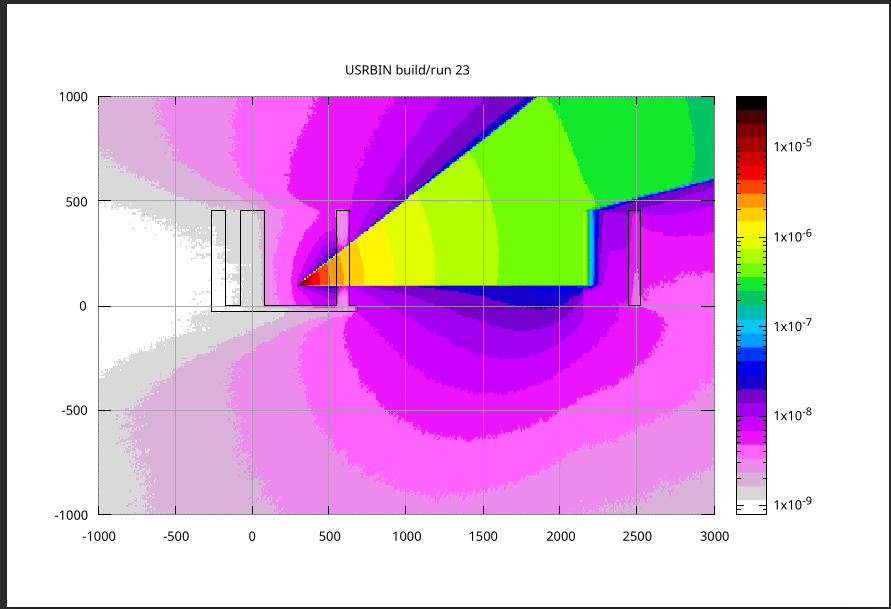
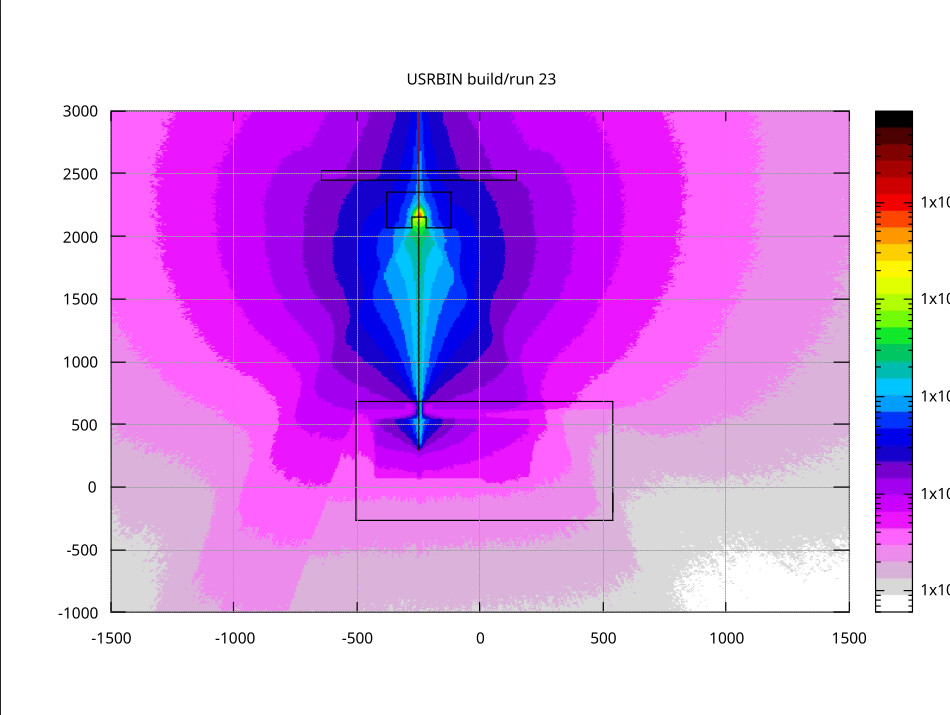
This image was made using MCNP Monte-Carlo code and I would like to reproduce that results. If you have a look at the 1st image the beam should look like a cone in zy-plane (side view) and you can spot it’s a narrow line from top view on the 2nd image (xz-plane I guess).
How would you recommend to set BEAM and BEAMPOS cards to get the same beam shape?
I’ve just never modeled such unusual beam shape and have no idea how to do that.
The angle of the beam spread (on the 1st image) is about 30 degrees and its thickness (on the 2nd image) is about 5 mm.
using a source routine, you can set all properties of the beam particles. See some of these relevant forum posts: link1, and link2 (for the older source routine).
if you would rather not use the source routine, you can use the SPOTBEAM to create a beam spots with more fine-grained properties than you would in a BEAM card, including different divergences in x and y. You then have to use a SPECSOUR card to indicate that you have a single BEAMSPOT, and it will act like a normal beam. Finally, to give it the position spread, use the SPOTPOS card. NOTE: there are a couple of things in the beam spot card that are being fixed and will be available in an upcoming release. In particular:
X and Y divergences are flipped, so you put in the X spread in the Y divergence and vice versa
You cannot specify a 0 divergence for one but not the other axes. An easy workaround is to simply specify an extremely small divergence (e.g. 10^{-10} ) for the dimension that is not diverging.
So, for now, considering these two pieces of information, you should set
div_x = 523.6 (mrad)
div_y = 1e-10
and the other properties should be easy to fill in with your numbers.
Thanks for your advices! I managed to combine user source routine parameters (new version) and BEAMPOS card’s settings to set the required beam direction and divergence. That fact that X and Y divergences are flipped made a bit confused and lead to wrong beam shape for the first time. It was not obvious, sot thanks for that advice again!
glad to hear this worked. Please note that as of the last release the swapping of X and Y has been fixed, see the release notes: Release of FLUKA 4-5.1. When you update FLUKA, I suggest you look at your source again to confirm that everything is working as you intend.