FLUKA 4-5.1 installation error

Versions

Please provide the used software versions.

FLUKA: 4-5.1
Flair:
Operating system: macOS Sonoma 14.4
Compiler: gfortran 14.2.0

Description

Please describe the issue. In case of reporting a bug, please provide step-by-step instructions for reproducing the error.

I have downloaded both fluka-4-5.1.arm-Darwin-gfor13.tar and fluka-4-5.1.src.tar to try install FLUKA. Either way, I can’t compile it. In the first case (fluka-4-5.1.arm-Darwin-gfor13.tar) I get the following error upon making:

usbmax.c:271:11: error: a function declaration without a prototype is deprecated in all versions of C [-Werror,-Wstrict-prototypes]

void usage()

      **^**

       void

1 error generated.

make[1]: *** [usbmax.o] Error 1

make[1]: *** Waiting for unfinished jobs…

make: *** [tools] Error 2

In the second case (fluka-4-5.1.src.tar), I simply get the following error:

make: *** [all] Error 2

Input files

Please upload all relevant files. (FLUKA input file, Flair project file, user routines, and data files)

Hi @cporzio,

Are you certain that the compilation of the source package only issues a single line message? It should normally report which compilation command failed.

To help troubleshoot, could you please provide the output of these commands? They’ll help identify your environment:

uname -a
pkgutil --pkg-info=com.apple.pkg.CLTools_Executables
gfortran -v
echo $PATH

Best, Luigi

Hi Luigi, thanks for your help with this!

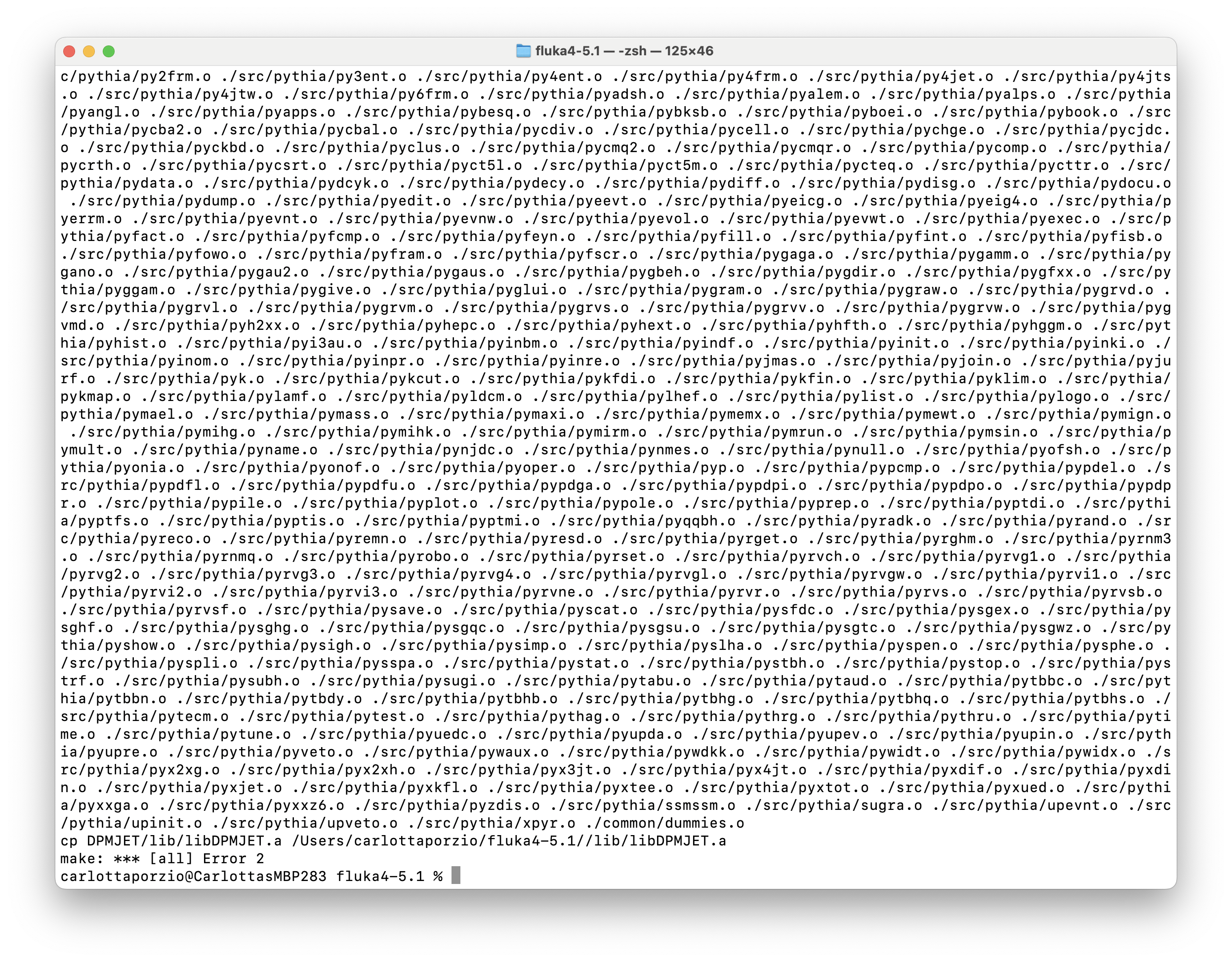
Regarding the error when compiling from source – yes, that’s the only thing I can identify as an error. There are a number of warnings printed at the start of the compilation process, then a number of normal-looking outputs (I believe), and then the one-line error. Please see attachment with a screenshot of the last portion of the printed lines.

Here are the outputs of the commands you indicated:

carlottaporzio@CarlottasMBP283 ~ % uname -a

Darwin CarlottasMBP283 23.4.0 Darwin Kernel Version 23.4.0: Wed Feb 21 21:44:54 PST 2024; root:xnu-10063.101.15~2/RELEASE_ARM64_T6030 arm64

carlottaporzio@CarlottasMBP283 ~ % pkgutil —pkg-info=com.apple.pkg.CLTools_Executables

Usage: pkgutil [OPTIONS] [COMMANDS] …

Options:

–help Show this usage guide

–verbose, -v Show contextual information and format for easy reading

–force, -f Perform all operations without asking for confirmation

–volume PATH Perform all operations on the specified volume

–edit-pkg PKGID Adjust properties of package PKGID using --learn PATH

–only-files List only files (not directories) in --files listing

–only-dirs List only directories (not files) in --files listing

–regexp Try all PKGID arguments as regular expressions

Receipt Database Commands:

–pkgs, --packages List all currently installed package IDs on --volume

–pkgs-plist List all package IDs on --volume in plist format

–pkgs=REGEXP List package IDs on --volume that match REGEXP

–groups List all GROUPIDs on --volume

–groups-plist List all GROUPIDs on --volume in plist format

–group-pkgs GROUPID List all PKGIDs in GROUPID

–files PKGID List files installed by the specified package

–lsbom PKGID List files in the same format as ‘lsbom -s’

–pkg-groups PKGID List all GROUPIDs that PKGID is a member of

–export-plist PKGID Print all info about PKGID in plist format

–pkg-info PKGID Show metadata about PKGID

–pkg-info-plist PKGID Show metadata about PKGID in plist format

–file-info PATH Show metadata known about PATH

–file-info-plist PATH Show metadata known about PATH in plist format

–forget PKGID Discard receipt data for the specified package

–learn PATH Update --edit-pkg PKGID with actual metadata from PATH

File Commands:

–expand PKG DIR Expand the flat package PKG to DIR

–flatten DIR PKG Flatten the files at DIR as PKG

–bom PATH Extract any Bom files from the pkg at PATH into /tmp

–payload-files PATH List the paths archived within the (m)pkg at PATH

–check-signature PATH Validate the signature of the pkg at PATH and print certificate information

carlottaporzio@CarlottasMBP283 ~ % gfortran -v

Using built-in specs.

COLLECT_GCC=gfortran

COLLECT_LTO_WRAPPER=/opt/homebrew/Cellar/gcc/14.2.0_1/bin/../libexec/gcc/aarch64-apple-darwin23/14/lto-wrapper

Target: aarch64-apple-darwin23

Configured with: ../configure --prefix=/opt/homebrew/opt/gcc --libdir=/opt/homebrew/opt/gcc/lib/gcc/current --disable-nls --enable-checking=release --with-gcc-major-version-only --enable-languages=c,c++,objc,obj-c++,fortran,m2 --program-suffix=-14 --with-gmp=/opt/homebrew/opt/gmp --with-mpfr=/opt/homebrew/opt/mpfr --with-mpc=/opt/homebrew/opt/libmpc --with-isl=/opt/homebrew/opt/isl --with-zstd=/opt/homebrew/opt/zstd --with-pkgversion=‘Homebrew GCC 14.2.0_1’ --with-bugurl=GitHub · Where software is built --with-system-zlib --build=aarch64-apple-darwin23 --with-sysroot=/Library/Developer/CommandLineTools/SDKs/MacOSX14.sdk

Thread model: posix

Supported LTO compression algorithms: zlib zstd

gcc version 14.2.0 (Homebrew GCC 14.2.0_1)

carlottaporzio@CarlottasMBP283 ~ % echo $PATH

/opt/homebrew/bin:/opt/homebrew/sbin:/Users/carlottaporzio/ROOT/root_install/bin:/usr/local/bin:/System/Cryptexes/App/usr/bin:/usr/bin:/bin:/usr/sbin:/sbin:/var/run/com.apple.security.cryptexd/codex.system/bootstrap/usr/local/bin:/var/run/com.apple.security.cryptexd/codex.system/bootstrap/usr/bin:/var/run/com.apple.security.cryptexd/codex.system/bootstrap/usr/appleinternal/bin:/opt/X11/bin:Users/carlottaporzio/cernbox/Miniball/MiniballSort/bin

Thanks again for your help!

Carlotta
Dear @cporzio ,

starting from last point, the last line make: *** [all] Error 2 simply indicates that there was an error in the compilation and you should scroll through the terminal output up to find the first occurrence.

I notice that there was a mistake in my previous copy&paste for the second command above. It should be
pkgutil --pkg-info=com.apple.pkg.CLTools_Executables with two minus signs (and not a emdash) . Could you please send me the output of the correct command?

Finally, you’re using gfortran from HomeBrew to compile FLUKA. While this is possible, you’ll encounter issues with Flair. We recommend using MacPorts as per the Flair installation page (section Mac OSX) Official flair site.

If you need HomeBrew, ensure you keep the two package managers separate. A solution is outlined in this post SIGBUS error on first run - #7 by luillo

Best, Luigi

1 Like

Hi Luigi,

I did scroll to look for errors before, and found only warnings, as I mentioned. I have now compiled again and printed the output to a text file (attached) with “make -j 8 > outputMake.txt“, where again I can’t find any errors. However, the output printed to screen this time did show some errors (this looks different than before and different that the output in the text file), in particular:

In file included from ScorerStats.cc:7:

./ScorerStats.h:32:32: error: no matching constructor for initialization of ‘std::chrono::time_pointstd::chrono::system_clock

    ScorerStats() : \_pdfw(Pdf()), \_t0(std::chrono::high_resolution_clock::now()) {}

                                  **^   \~\~\~\~\~\~\~\~\~\~\~\~\~\~\~\~\~\~\~\~\~\~\~\~\~\~\~\~\~\~\~\~\~\~\~\~\~\~\~\~\~**

and

In file included from ScorerStats.cc:7:

./ScorerStats.h:67:67: error: invalid operands to binary expression (‘const time_point’ (aka ‘const time_point<std::chrono::steady_clock, duration<long long, ratio<1LL, 1000000000LL>>>’) and ‘const std::chrono::time_pointstd::chrono::system_clock’)

            return \_startingTimeDuration + std::chrono::duration<double>(tf - \_t0).count();

                                                                         **\~\~ ^ \~\~\~**

This is the output of the command you asked for:

package-id: com.apple.pkg.CLTools_Executables

version: 15.3.0.0.1.1708646388

volume: /

location: /

install-time: 1713792138

Thanks for your comment about the installation of gfortran. Given that I already had a recent version of gfortran as indicated in the prerequisites, I didn’t think I needed to do an additional installation through MacPort – I interpreted the “On macOS, you can use the recommended package manager MacPorts:“ as a possibility, not a requirement. Thanks for pointing this out, I will install it again!

outputMake.txt (364.6 KB)

Dear @cporzio,

The log you attached to your last post shows that the compilation was successful and ScoreStats.cc compiled without errors or warnings.
Just to be sure, did you redirect the stdout and stderr of the compilation to outputMake.txt using the command make >& make.log?

Additionally, whenever the environment changes it’s a good idea to run make clean before recompiling.

We’ll make the requirement page on the Flair installation page clearer.

Please let me know if you were able to successfully compile and run FLUKA and Flair.

Best Luigi