Hi I’m writing in continuation to my two posts:
and Accuracy in Geobegin - #6 by mhartmann
Following the advice on these two threads all similar planes in the area or interest have been deleted (plus the cases where planes and other bodies (e.g. RCC) touched). This was done by replacing one same plane by another.
When I run my input (attached), I get one of 3 errors:
- GEOFAR errors – these are the small geometrical errors which lead to numerical imprecision in the tracking. If one looks at these errors and adds them as arrows in the geoviewer, one sees that they don’t correspond to anything - they are not lying e.g. on the border of planes, they are in the middle of a region (as shown in the screenshot)
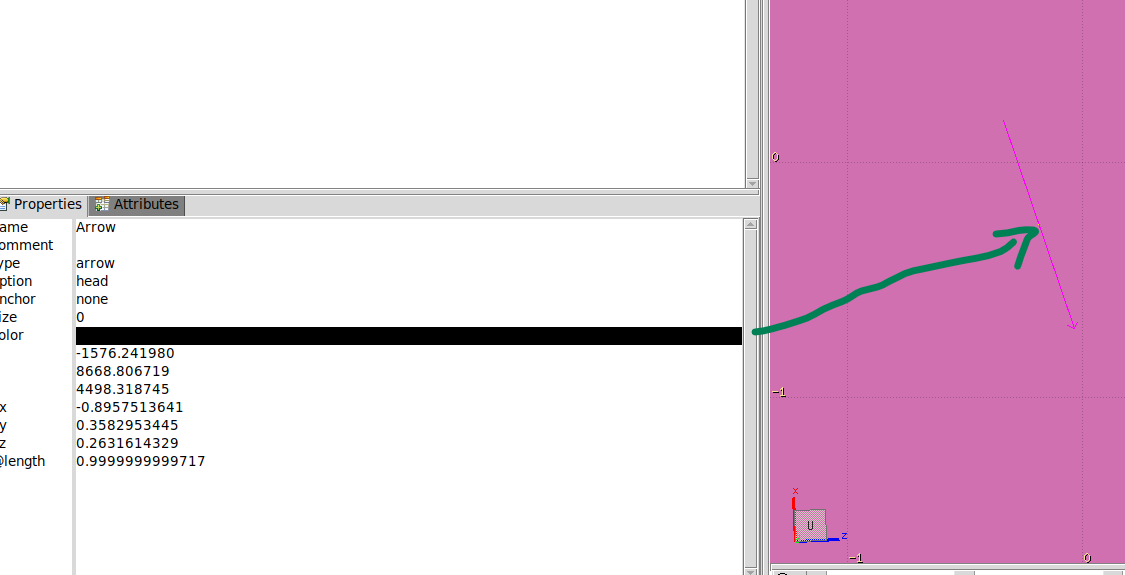
.
- Runtime errors: Segmentation fault (core dumped) ${EXE} 2> $LOGF > $LOGF fluka run” or (“Seed file not accepted: or corrupted…”
- Regarding the cluster issue – I am able to run other input files there so the issue must be exclusively in this input
The GEOFAR errors can be overcome by setting the accuracy parameter to 0.1 in GEOBEGIN (this was tested for 100k particles, maybe with more histories, more errors shall emerge)
I attach my latest input as starter to test out – it has the accuracy parameter to 0.1. For this case the simulation was successful, I also attach the log file corresponding to it.
Best wishes and thank you,
Marco
monte_part7.flair (1015.5 KB)
monte_part08.inp (1.2 MB)
monte_part08001.err (122.2 KB)
monte_part08001.out (9.5 MB)
monte_part08.log (2.4 KB)
EDIT: I also found a lot of planes that are unused…not sure if this could be causing issues (especially maybe in earlier versions of flair/fluka)