Versions
Please provide the used software versions.
FLUKA:4.5.2
Flair:3.4-0
Description
Dear Experts,
I have carefully read the relevant forum posts about importing CAD models via UMESH. Following the suggested methods, I successfully generated and imported the
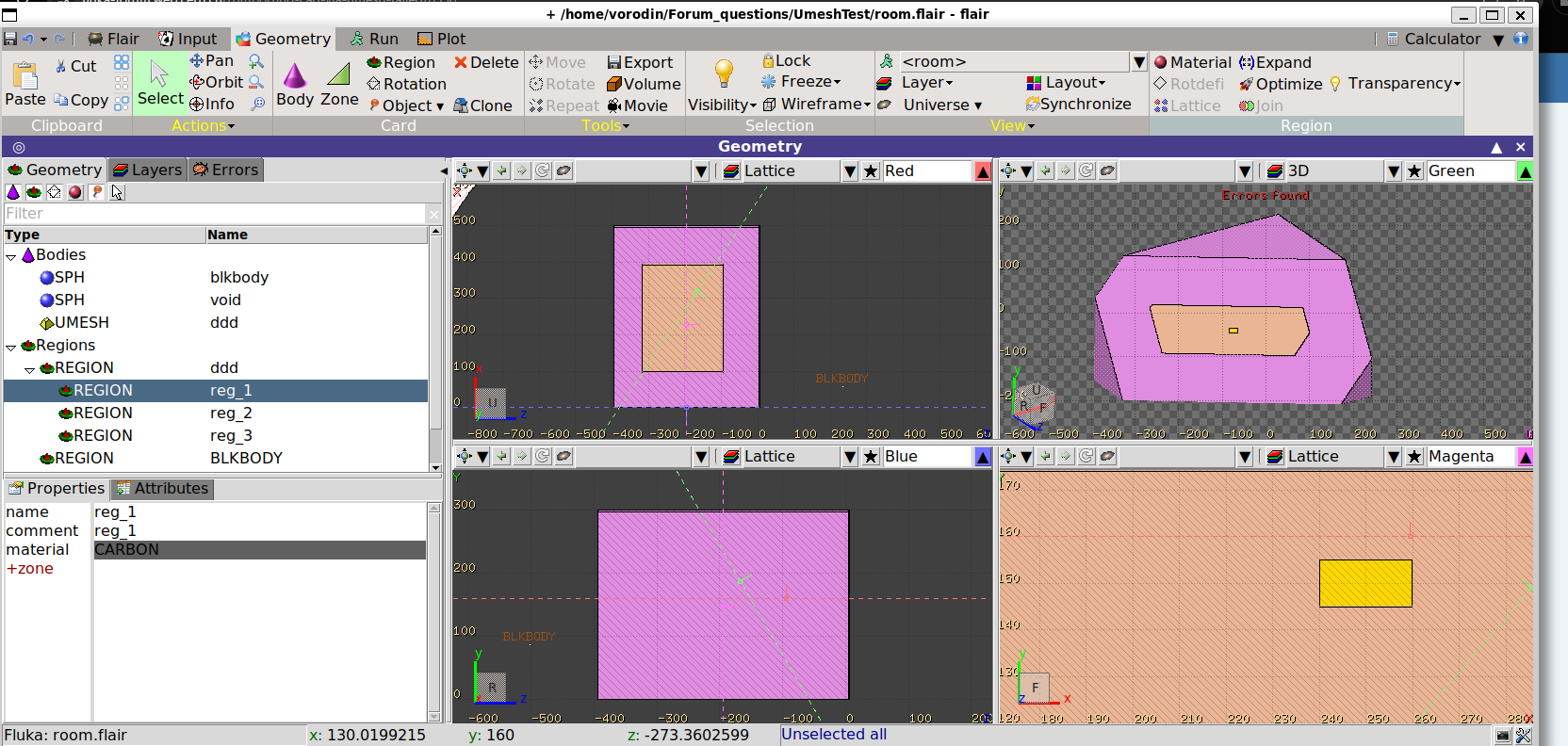
snowman.abaqexample.However, I encountered an issue when trying to import my own model built in SolidWorks. I created a simple geometry consisting of a room containing a target, exported it as a
.3mffile, and usedFLUKA_mesh_fix.pyto generate the.abaqfile.After importing it to FLUKA, I found that although three regions were successfully generated as defined, only the largest one is visible in the Geometr
y. Additionally, I tried running a simulation; it ran without crashing, but the particles I set up were not scored/tallied as expected. I am quite confused about which step might be causing this problem. I would really appreciate your guidance.
The relevant
.inpfile,.3mffile, and the original SolidWorks file are attached below.Thank you very much for your help.
Input files
UmeshTest.zip (131.7 KB)