Dear Fluka experts,
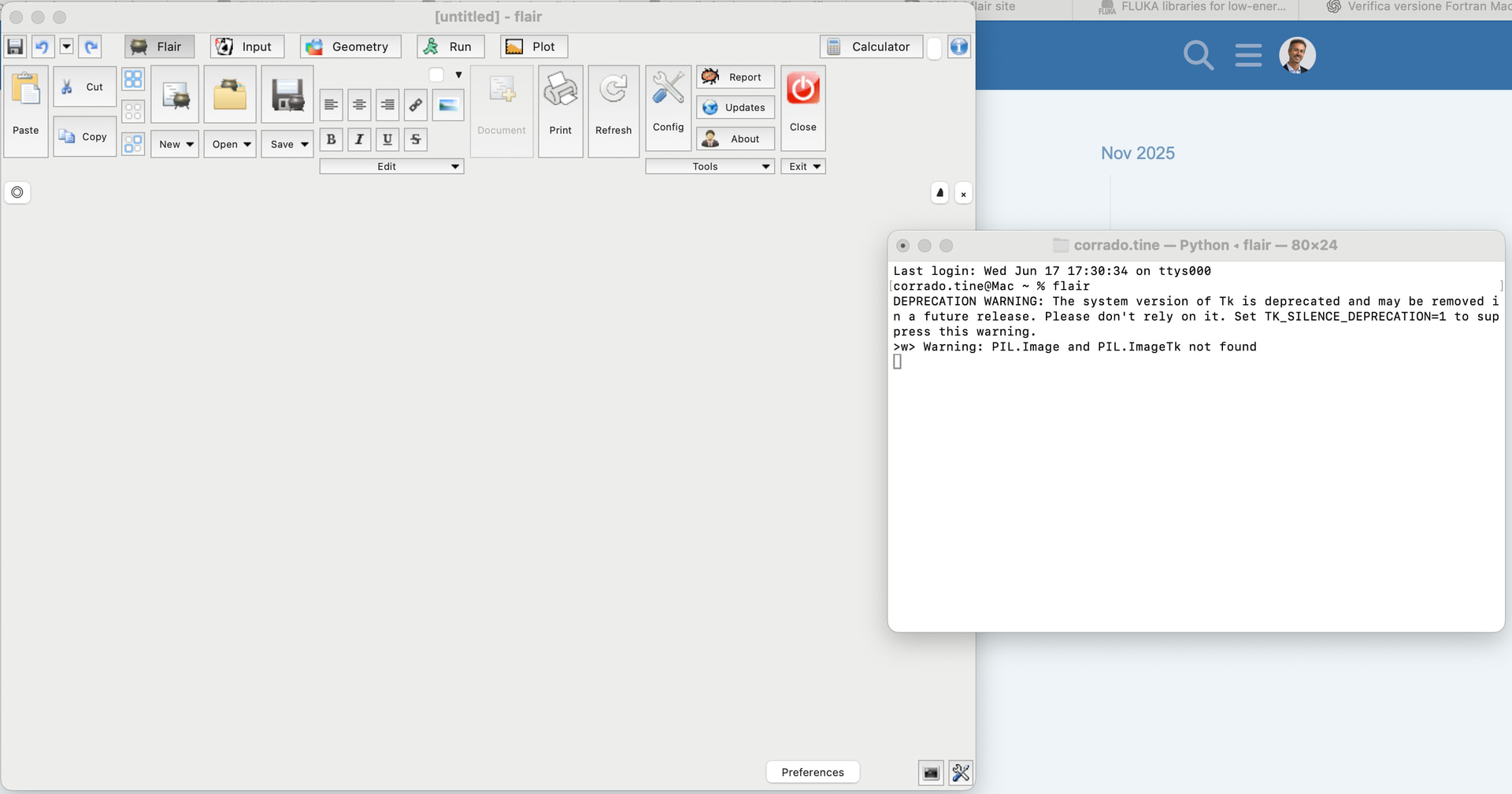
I just installed the latest versions of FLUKA and Flair on my macOS, but I think something is wrong because when I run Flair, I see what’s shown in the attached photo: flair runs but appears empty and no any action is possible.
DEPRECATION WARNING: The system version of Tk is deprecated and may be removed in a future release. Please don't rely on it. Set TK_SILENCE_DEPRECATION=1 to suppress this warning.
>w> Warning: PIL.Image and PIL.ImageTk not found
I ran into the same problem after installing Flair 3.4-5.4 on macOS. In my case, the problem was caused by Pillow not being installed in the correct Python 3.13 environment used by Flair.
Installing Pillow explicitly for Python 3.13 fixed the issue:
Thank you for your suggestion. I carried out a few additional tests and I have a better understanding of the issue now.
Initially, Flair was using the default macOS Python (Python 3.9.6 located in /usr/bin/python3). In that case, the GUI opened but remained completely empty and unusable. The terminal showed:
Warning: PIL.Image and PIL.ImageTk not found
Following your suggestion, I installed Pillow for the default Python. The PIL warning disappeared, but the GUI was still empty.
I then noticed that the Flair documentation explicitly recommends not using the default macOS Python, but instead using a MacPorts Python.
I already have several Python versions installed through MacPorts. By forcing Flair to use the MacPorts Python, for example:
PYTHON=/opt/local/bin/python3 flair
the GUI now opens correctly. However, two things happen:
The application now runs through XQuartz (which I assume is expected since the MacPorts Python uses the X11/Tk backend).
The warning
Warning: PIL.Image and PIL.ImageTk not found
appears again.
So it seems that:
the original empty GUI was caused by using the Apple-provided Python;
the MacPorts Python fixes the GUI issue;
however, the MacPorts Python currently used by Flair cannot find the Pillow (PIL) module.
Could you please advise which Python version is currently recommended for FLUKA/Flair on macOS Sequoia (3.10, 3.12, 3.14, etc.), and which corresponding Pillow package should be installed?
I followed your suggestion and installed Pillow in the MacPorts Python with:
/opt/local/bin/python3 -m pip install Pillow
Now, when I launch Flair with
PYTHON=/opt/local/bin/python3 flair
the GUI works correctly and the previous warning about PIL.Image and PIL.ImageTk has disappeared.
I also found the reason for the “Fluka directory is not found” message. My FLUPRO environment variable was pointing to an old, non-existing installation. Temporarily setting
allows Flair to find the FLUKA installation correctly.
However, both of these solutions are only temporary.
At the moment, every time I open a new terminal I still have to launch Flair with
PYTHON=/opt/local/bin/python3 flair
and I also have to reset the FLUPRO and PATH variables manually.
Could you please advise the recommended way to make these settings permanent?
In particular:
how should I configure Flair so that it always uses the MacPorts Python instead of the default Apple Python?
what is the recommended way to permanently configure the FLUPRO environment variable and the PATH so that Flair automatically finds the FLUKA installation?
(You may need to log out and log back in to take effect.)
This way you can start Flair by simply using the flair command, and it will use the Python specified in the $PYTHON environment variable.
Setting the $FLUPRO environment variable is not necessary; you can directly add FLUKA’s directory to $PATH.