I would like to ask whether FLUKA can automatically scan or iterate over multiple beam (or source) positions within a single simulation.
In my case, I need to simulate many point sources located at different voxel positions. For example, the source positions form a 3 × 3 × 3 grid (27 positions in total). My goal is to obtain the detector response for each source position in order to build a system matrix.
Currently, it seems that I would need to define each source position manually in separate runs, which would be quite inconvenient.
Is there a way in FLUKA to automatically loop over or scan a set of source positions (e.g., using SOURCE user routine, WHASOU parameters, or another method)?
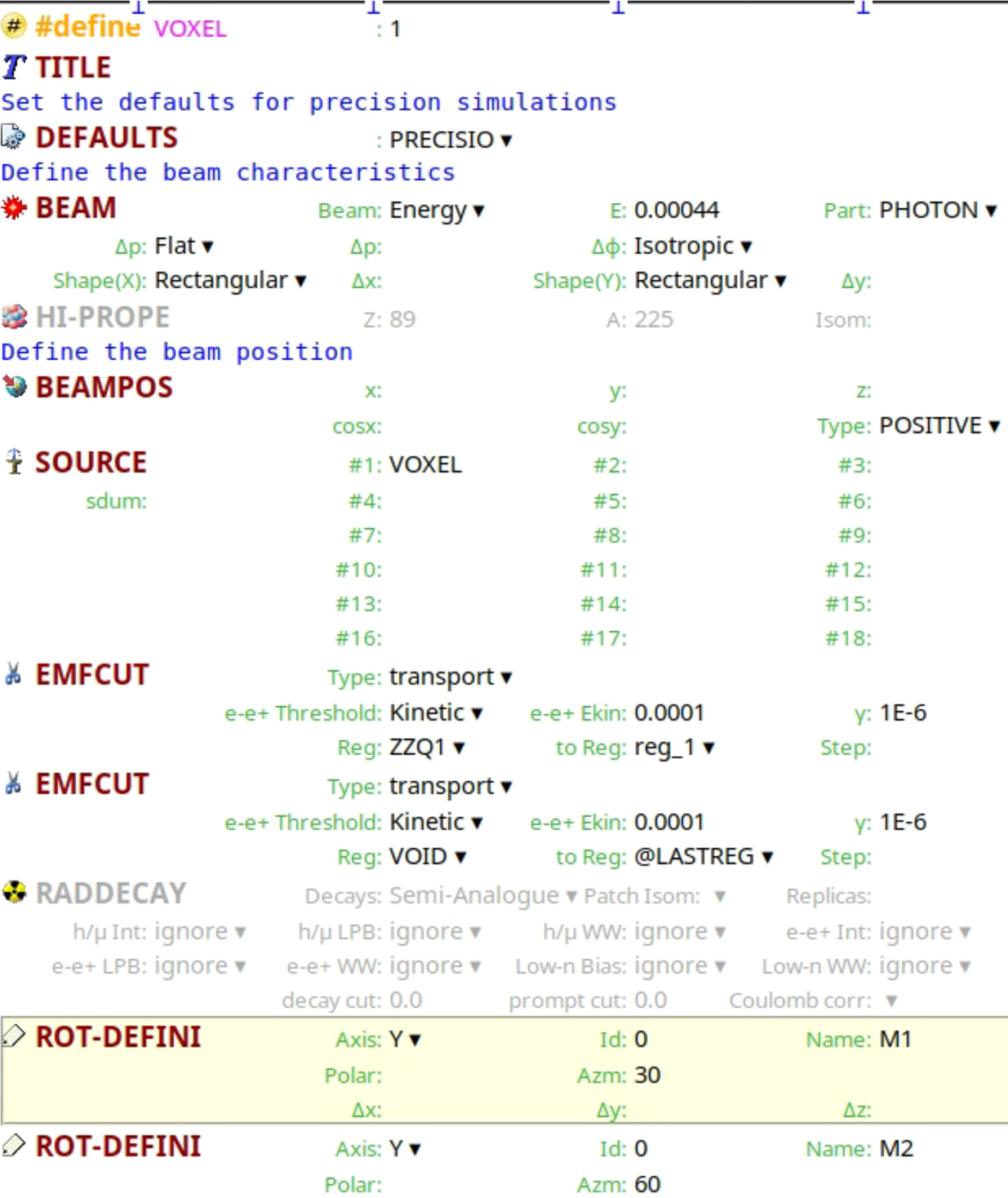
According to that post, I compiled the file source_newgen.f and added a loop in this routine to define different initial particle positions. In the input file, I defined: #define VOXEL 1
SOURCE VOXEL
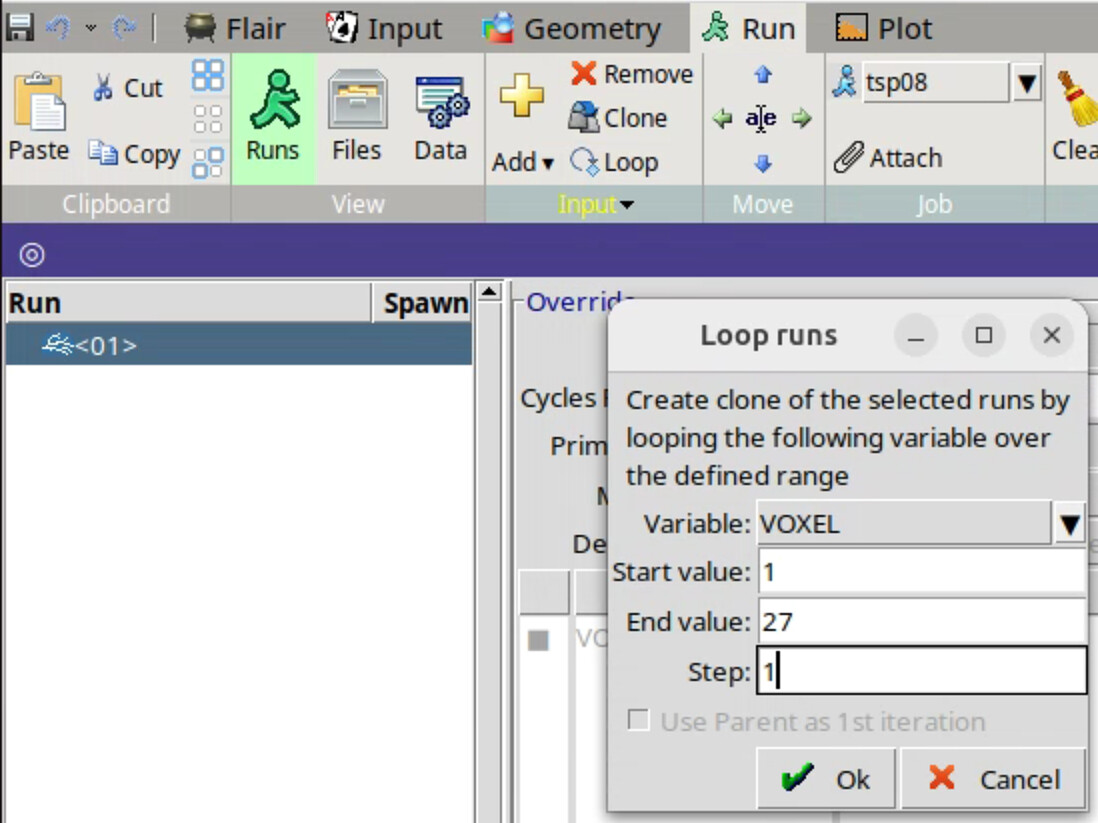
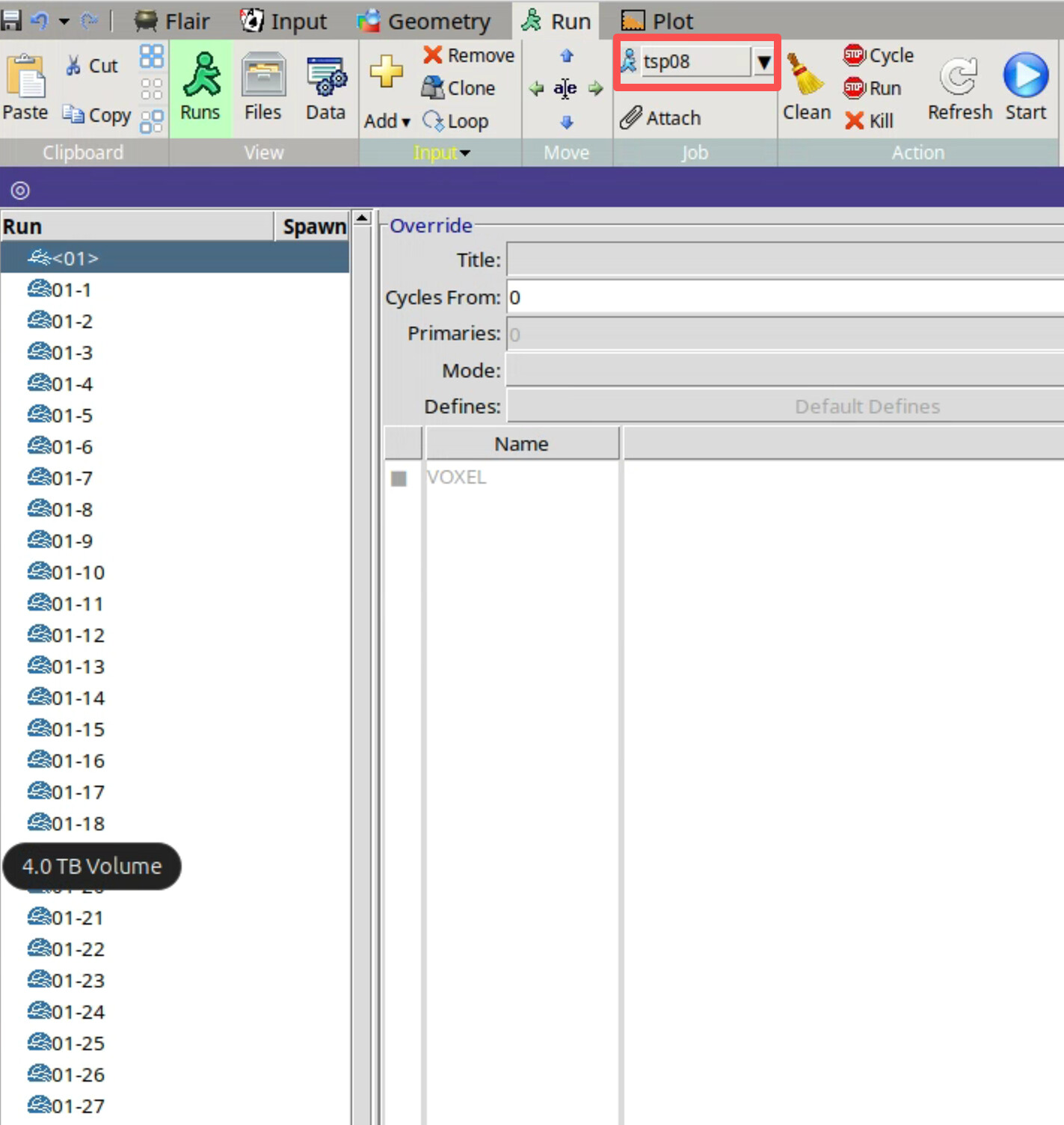
and selected the loop option in the run settings.
My intention is to obtain separate results for the 27 different source positions, rather than an averaged response. However, the simulation failed and kept producing errors, and I could not determine which step might be incorrect.
Could you please advise whether this approach is correct, or if there is a better way in FLUKA to simulate multiple source positions and obtain the detector response for each position individually?
if you want separate results for each source position, then it is not possible to do it in a single run and your general approach using a loop over a position variable is correct.
As for the actual implementation, it is not really possible to help you without seeing your fluka and flair input files or the error messages located in the .out files.
One issue I can see from your screen shots is that you need to input =VOXEL (note the ‘=’) into you source card’s WHAT(1)
From your source file it looks like your source is not actually a voxel (=volume) but a single point, so depending on the rest of your problem, you should consider avoiding a source routine and just inputting the coordinates via x,y,z variables into the BEAMPOS card. You can input complex expressions like WHAT(1) = -0.1 + XCOORD*0.1 with XCOORD being a variable defined as
Following your advice, I was able to successfully implement the voxel traversal using the variable definition approach (e.g., #define XCOORD: = (VOXEL-1) % 3) together with the BEAMPOS card, without relying on a source routine. This worked perfectly for my case.
Your explanation really helped me understand the setup more clearly, and I appreciate your guidance.