Dear experts,
-
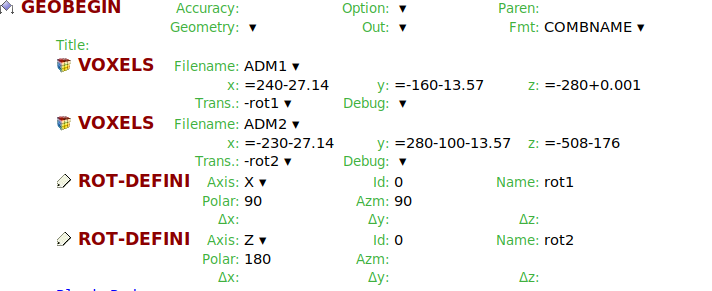
Is it possible to use two voxel phantom geometries in same fluka input? There is no separate naming option that can be associated with VOXELS card.
-
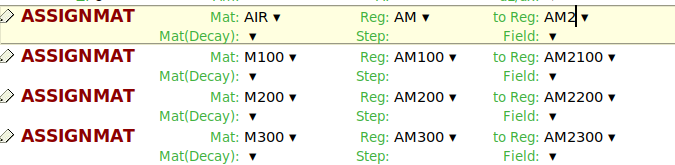
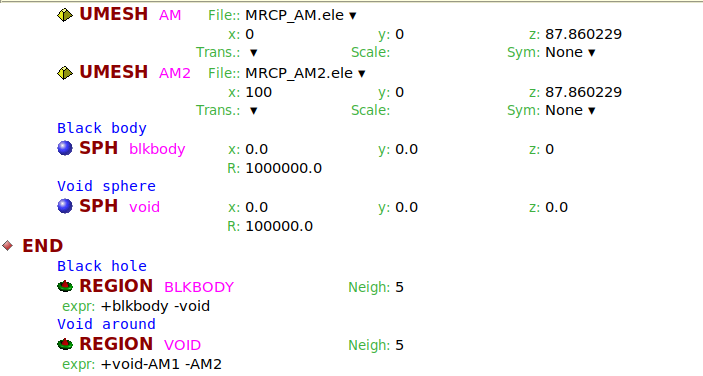
Instead, if I use the mesh phantom, I could set names for two UMESH files (by duplicating the .ele, .node etc file to get two adult male geometry). In this case, while using the ASSINMAT card, it will be wrong to use Reg and to Reg (to assign same material in the similar regions of two voxels), since there are other regions between these two regions in the complete drop-down region naming list. Is it correct? Or, it won’t be a problem for mesh geometry?
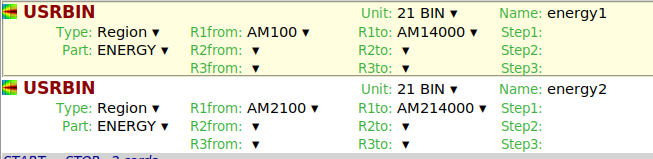
Similarly for USRBIN, I can use the attached settings, without worrying about the region naming sequence in the list. Is it correct?
Regards,
Riya
VOXEL:
UMESH:
ASSIGNMAT: