Plotting issue using Flair Plot

Versions

Fluka 3.4-0

FLUKA: 3.4-0
Flair: 4-5.0
Operating system: Windows 11

Description

Hi Flair experts,

I don’t manage to do some simple plots as the geometry in Red, Green, … clicking Plot (gnuplot) using any flair input file. I guess it has to do with my configuration gnuplot ? I use to have no problem, but a long time ago …

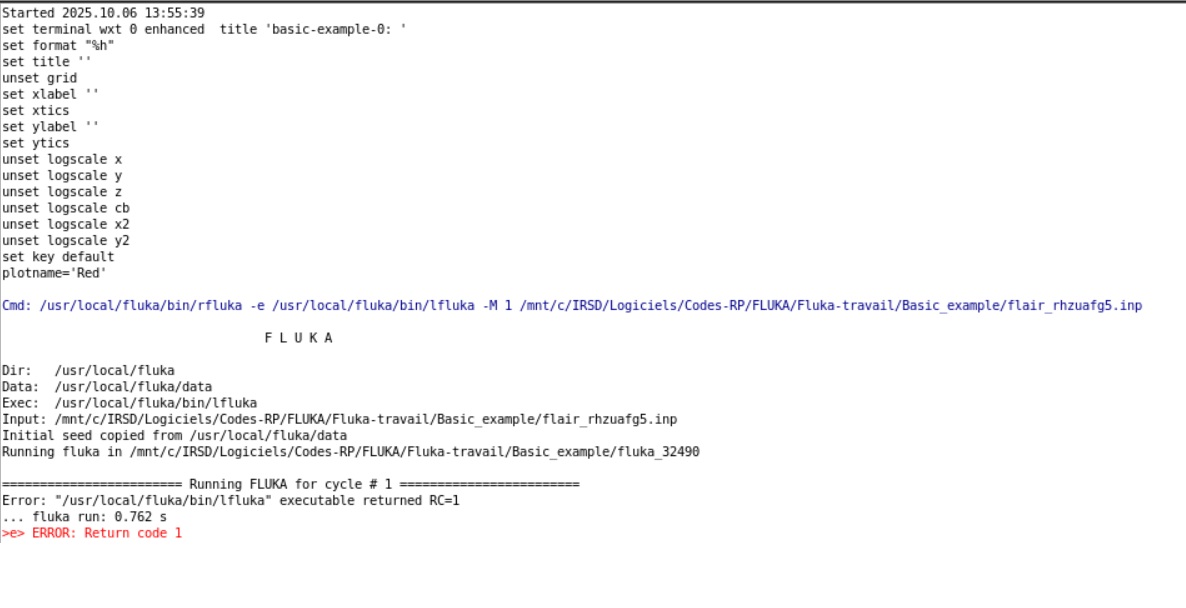
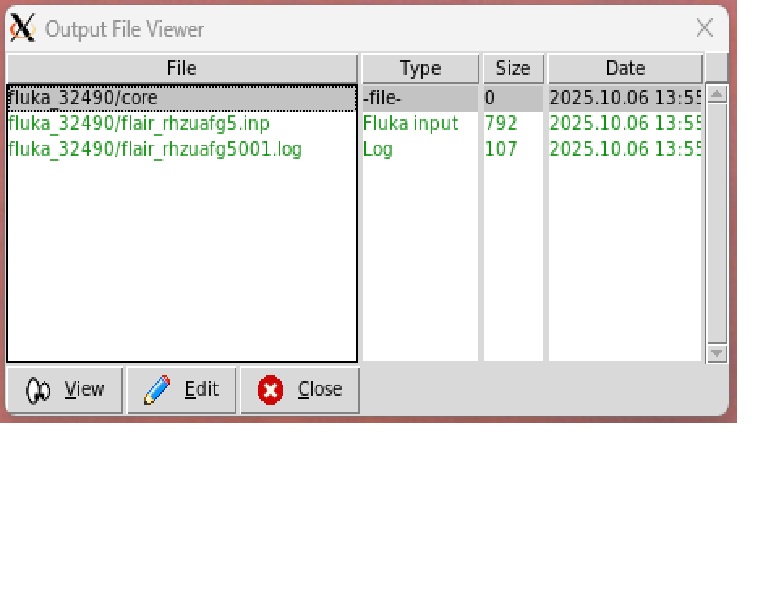
here is the output window I get, and the content of the output file … for a basic example.

Flair is searching files that I don’t have …

Thanks for your help

Input files

Please upload all relevant files. (FLUKA input file, Flair project file, user routines, and data files)

Dear Hugues,

in the flair output I noticed that you are trying to use lfluka as the executable, which causes the error. You should use the default fluka, flukadpm or your custom executable to run the FLUKA simulation/plotting.
Cheers,
David

Dear David

choosing flukadpm solve the problem, although I don’t understand the influence it has on the plotting

Thanks !

Dear Hugues,

To get a geometry plot, you need to run a small FLUKA simulation, to get the geometry details, at the selected location and extent.

lfluka is not a FLUKA executable, but a linker script used compiling and user routines, and creating custom FLUKA executables.

Cheers,
David