Problem in running example

Versions

FLUKA:4-5.1
Flair:
Operating system: macOS
Compiler:

Description

Hello,

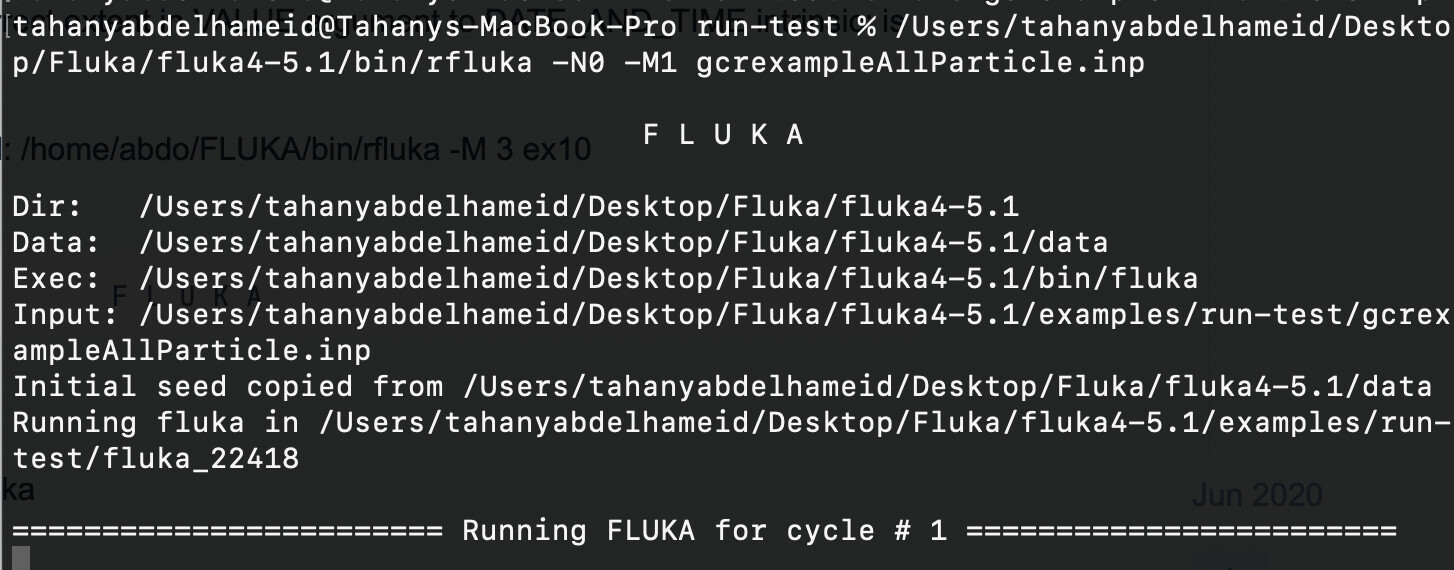
I am a beginner user of FLUKA. I have installed FLUKA and tried to run one of the example input files from the FLUKA examples library. but the simulation gets stuck at cycle 1 and does not progress even with a very low number of primary histories (START 100). I have waited for more than an hour with no change in the output. so I am kind asking for advice to solve it.

Input files

gcrexampleAllParticle.inp (3.9 KB)

Please upload all relevant files. (FLUKA input file, Flair project file, user routines, and data files)

Dear Tahany,

Please upload the .out, .log, and .err files to see the error message you are getting. They may be located in a fluka_xxxxx directory.

Cheers,
David

Dear David,

Thank you for your kind reply!

in the .log file I got this massage

“Program received signal SIGILL: Illegal instruction. Backtrace for this error: Program received signal SIGBUS: Access to an undefined portion of a memory object. “

After checking my setup, I realized that I was using gfortran 15, which wasn’t compatible with the FLUKA version I am running. I switched to gfortran 13, and the issue was resolved successfully.

Thank you very much for your time and consideration.

Kind regards,
Tahany

Hi @tabdelha ,

There shouldn’t be any issues with GFortran 15.

Could you please provide the output of these commands, so we can investigate this issue further?

uname -a
sw_vers -productVersion
pkgutil --pkg-info=com.apple.pkg.CLTools_Executables
gfortran -v
echo $PATH
port echo requested
port select --summary

Thank you

Hello Luigi,

Here are the outputs of the commands you requested. please check and let me know if you need further details:

uname -a

Darwin Tahanys-MacBook-Pro.local 23.5.0 Darwin Kernel Version 23.5.0: Wed May 1 20:19:05 PDT 2024; root:xnu-10063.121.3~5/RELEASE_ARM64_T8112 arm64

sw_vers -productVersion

14.5

pkgutil --pkg-info=com.apple.pkg.CLTools_Executables

package-id: com.apple.pkg.CLTools_Executables

version: 15.3.0.0.1.1708646388

volume: /

location: /

install-time: 1710605945

gfortran -v

Using built-in specs.

COLLECT_GCC=gfortran

COLLECT_LTO_WRAPPER=/opt/homebrew/Cellar/gcc/15.2.0/bin/../libexec/gcc/aarch64-apple-darwin23/15/lto-wrapper

Target: aarch64-apple-darwin23

Configured with: ../configure --prefix=/opt/homebrew/opt/gcc --libdir=/opt/homebrew/opt/gcc/lib/gcc/current --disable-nls --enable-checking=release --with-gcc-major-version-only --enable-languages=c,c++,objc,obj-c++,fortran,m2 --program-suffix=-15 --with-gmp=/opt/homebrew/opt/gmp --with-mpfr=/opt/homebrew/opt/mpfr --with-mpc=/opt/homebrew/opt/libmpc --with-isl=/opt/homebrew/opt/isl --with-zstd=/opt/homebrew/opt/zstd --with-pkgversion=‘Homebrew GCC 15.2.0’ --with-bugurl=GitHub · Where software is built --with-system-zlib --build=aarch64-apple-darwin23 --with-sysroot=/Library/Developer/CommandLineTools/SDKs/MacOSX14.sdk

Thread model: posix

Supported LTO compression algorithms: zlib zstd

gcc version 15.2.0 (Homebrew GCC 15.2.0)

port echo requested

gcc12 @12.4.0_2+stdlib_flag

gcc13 @13.4.0_1+stdlib_flag

gcc_select @0.1_10

py311-numpy @2.3.4_0+accelerate+gfortran

py311-Pillow @9.5.0_1

py311-tkinter @3.11.14_0

python311 @3.11.14_0+lto+optimizations

port select --summary

Name Selected Options

==== ======== =======

gcc mp-gcc13 mp-gcc12 mp-gcc13 none

python python311 python311 none

python3 none python311 none

Best wishes,

Tahany
Dear @tabdelha,

You’re using a mixed environment with MacPorts and Homebrew which can cause issues with the FLUKA/Flair problem as discussed in several forum threads.

I believe the original issue with gfortran15 was related to this. Generally, it’s better to have a single package manager or clearly separate environments as outlined here:

Best, Luigi